

Welcome to StatusPage.one
StatusPage.one helps you monitor your services and communicate their status to your users. This guide will walk you through accessing the console and understanding the main interface.Accessing the Console
The StatusPage.one console is available at console.statuspageone.com.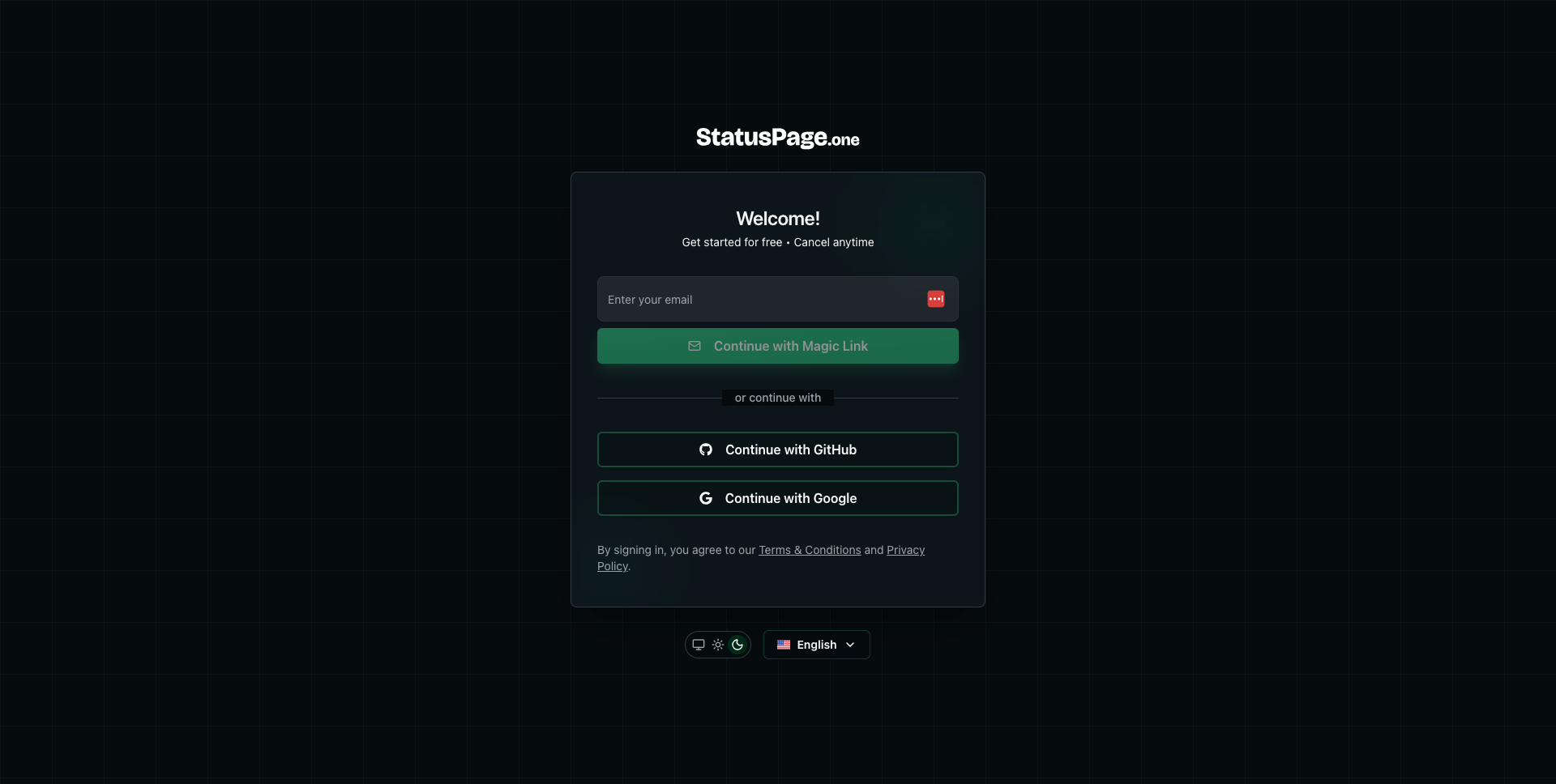
Sign In Options
You can sign in using any of these methods:- Magic Link - Enter your email and receive a secure login link
- GitHub - Sign in with your GitHub account
- Google - Sign in with your Google account
First-Time Setup
When you first sign in, you’ll go through a quick onboarding process to set up your organization and first monitor.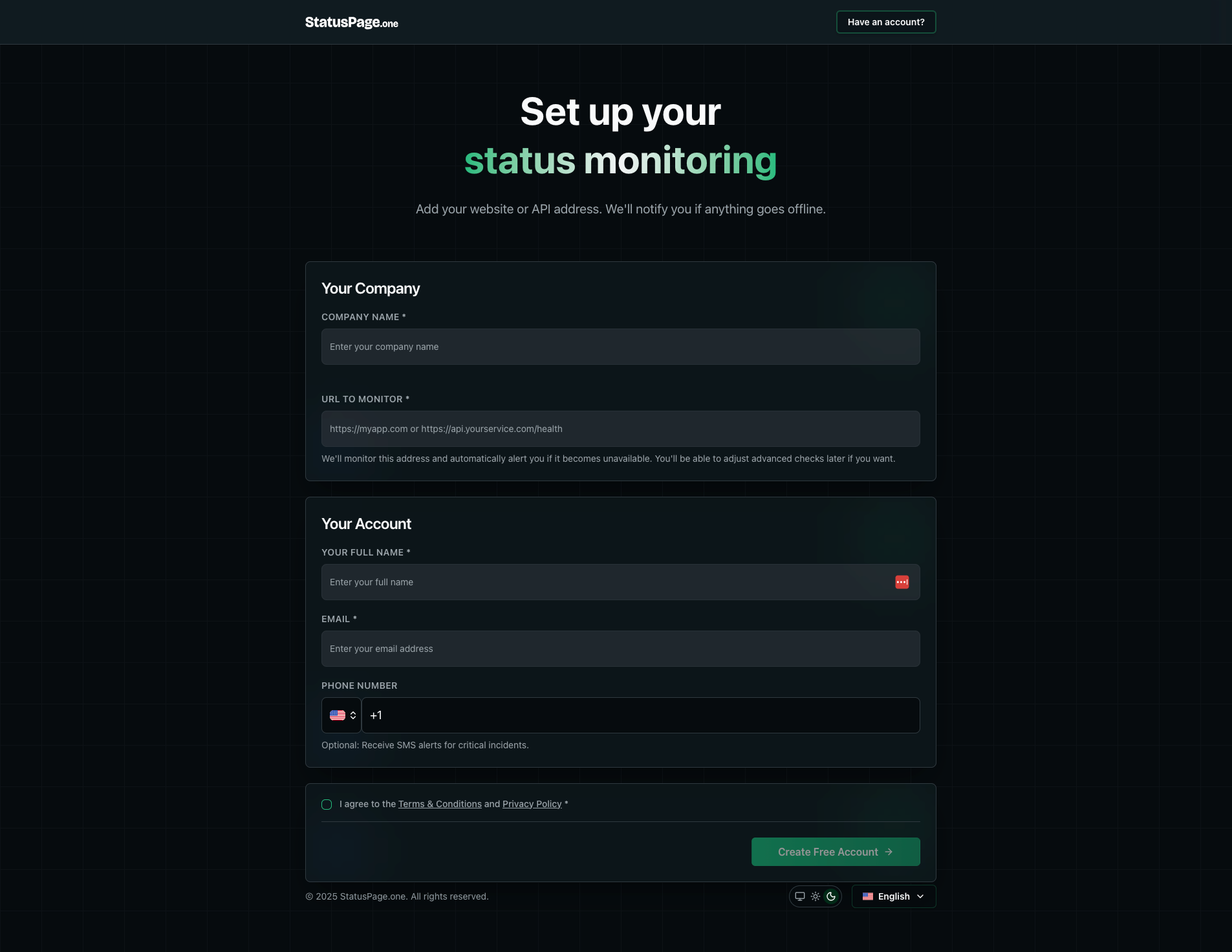
Onboarding Steps
- Your Company - Enter your company name and the URL you want to monitor
- Your Account - Provide your full name, email, and optionally a phone number for SMS alerts
Dashboard Overview
After completing onboarding, you’ll arrive at your organization dashboard - the central hub for monitoring your infrastructure.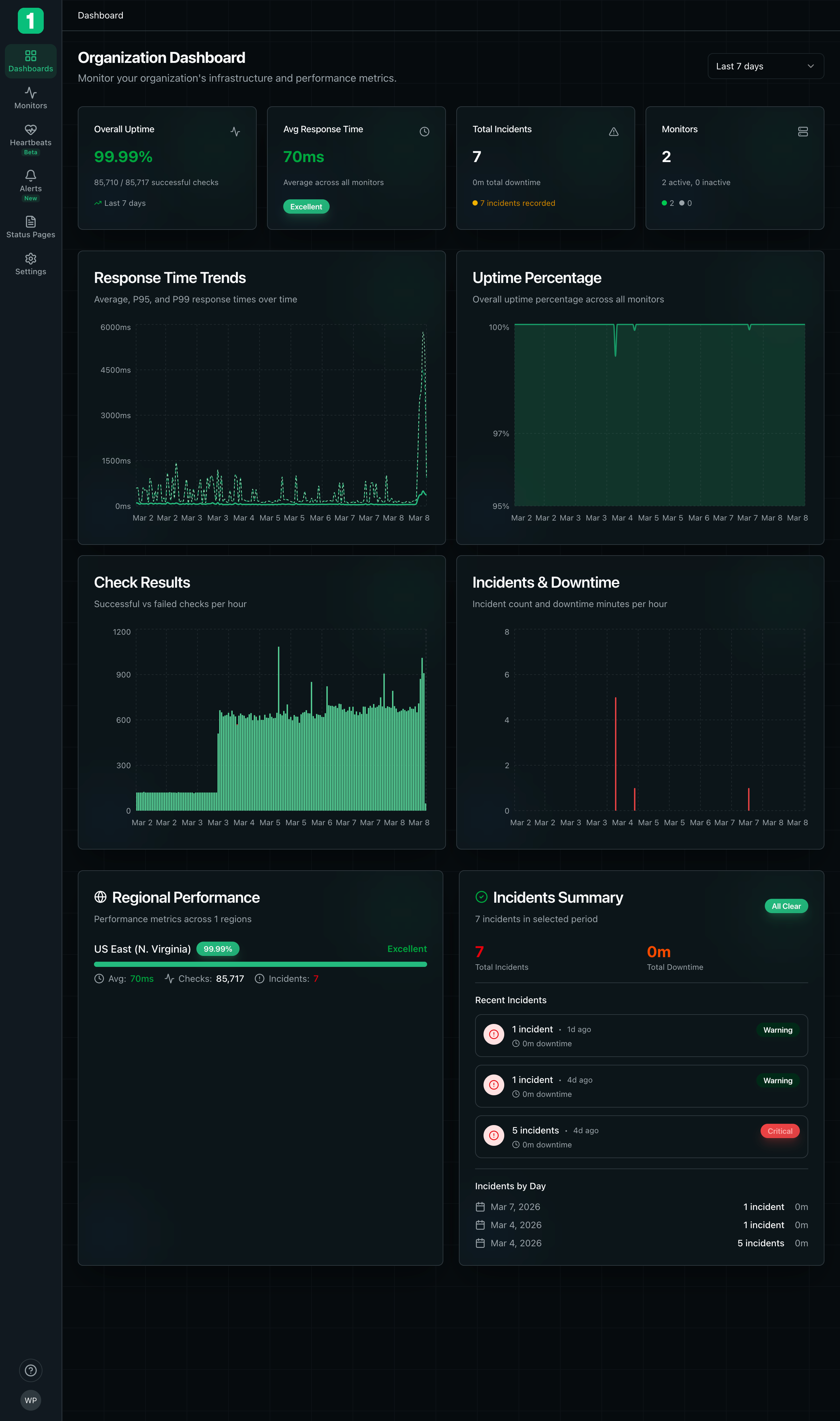
Key Metrics
The dashboard displays several important metrics at a glance:- Overall Uptime - Your infrastructure’s uptime percentage over the selected time period
- Average Response Time - Average response time across all monitors
- Total Incidents - Number of incidents and total downtime
- Monitors - Count of active and inactive monitors
Charts and Visualizations
The dashboard includes several real-time charts:- Response Time Trends - Shows P95, P99 response times over time
- Uptime Percentage - Historical uptime trends across all monitors
- Check Results - Successful vs. failed checks per hour
- Incidents & Downtime - Incident frequency and duration
- Regional Performance - Performance metrics by geographic region
- Incidents Summary - Recent incidents with severity levels
Time Range Selection
Use the time range selector in the top right to view metrics for:- Last 7 days
- Last 30 days
- Last 90 days
- Custom date range
Navigation
The left sidebar provides access to all main sections:- Dashboard - Overview of your infrastructure health
- Monitors - Manage your uptime monitors
- Heartbeats - Monitor background jobs and scheduled tasks
- Alerts - Configure alert rules and notifications
- Status Pages - Create and manage public status pages
- Settings - Organization settings and team management
Next Steps
Now that you’re familiar with the console, here’s what to do next:Create Monitors
Set up monitoring for your websites and APIs
Build a Status Page
Create a public status page for your users
Configure Alerts
Set up notifications for incidents
Invite Team Members
Collaborate with your team
Language Support
StatusPage.one supports multiple languages. You can change your language preference using the language selector in the bottom right corner of the console.The interface automatically saves your work. All changes are persisted immediately without requiring manual saves.